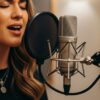

The choice of podcast recording program is one of the decisions that feels more complicated than it needs to be — largely because the people writing about it tend to either recommend the most expensive professional option regardless of context, or default to the most popular free tool without examining whether it actually fits the workflow of the person reading. This guide does neither. It maps the available podcast recording program landscape in 2026 to specific creator profiles, production goals, and budget constraints — so the recommendation you get here is calibrated to your situation, not to a generic ideal.
The practical stakes are real. When we surveyed over 500 podcast creators about their software setups, Audacity emerged as the most used primary podcast recording program with almost 17% of podcasters depending on it — despite the fact that its learning curve and interface design make it genuinely ill-suited for many of the people using it. The gap between what most podcasters are using and what would actually serve them best is significant, and closing that gap is the entire point of this guide.
The Problem With Most Software Comparisons
Before getting into specific platforms, it is worth naming the structural problem with most podcast recording program comparisons published online. The majority are either written for SEO purposes and treat all platforms as roughly equivalent, or they are written by professional audio engineers whose baseline assumption about what constitutes acceptable audio quality bears no relation to what a first-time creator needs from a recording tool.
The honest truth about choosing a podcast recording program in 2026 is that the right answer depends almost entirely on three variables: how technically comfortable you are with audio software, whether you record solo or with remote guests, and whether your show includes video. Change any one of those variables and the optimal platform changes with it. The platform that is perfect for a solo audio podcaster with no audio engineering background is frequently wrong for a co-hosted video show recording across multiple time zones. Understanding your own situation clearly is the prerequisite for every software recommendation that follows.
Profile One — The Complete Beginner Recording Solo Audio
If you are recording your first podcast episodes, you are doing it solo, and your primary goal is to produce audio that sounds professional without spending weeks learning software, the podcast recording program decision is straightforward: Descript’s free tier.
Descript has transformed what beginner podcasting looks like. Its text-based editing approach — where you edit audio by editing a transcript rather than by manipulating waveforms — removes the single largest learning curve barrier in audio production. You record, Descript transcribes automatically, and you edit the transcript the same way you would edit a written document. Delete a sentence and the audio disappears. Remove filler words with a single click across the entire recording. The result is a polished episode without requiring you to learn the vocabulary of traditional audio engineering.
The free tier includes all premium podcasting features, which for a beginner is genuinely more than sufficient. As a starting podcast recording program, it eliminates the false choice between free-but-complicated (Audacity) and paid-but-accessible (alternatives costing $15 to $30 per month). The one caveat: Descript requires an internet connection for full functionality, which is a constraint worth knowing about if your primary recording environment is unreliable connectivity.
Profile Two — The Remote Interview Show
Remote interview podcasting has its own distinct set of requirements that most general-purpose podcast recording program options do not fully address. The core technical problem is simple to state and frustrating to solve without the right tool: internet connection quality during a recording call determines the audio quality of the recording itself, which means a guest with a slow home internet connection will sound degraded in your episode regardless of how good your own setup is.
The solution — local recording, where each participant’s audio is captured at full quality on their own device simultaneously rather than transmitted through the internet — is the defining feature of the tools built specifically for remote podcast production. Riverside.fm has become the dominant platform in this category, with local recording at broadcast quality, an end-to-end workflow that covers recording, editing, and basic production, and a guest experience that requires no software installation — participants click a link and the browser opens the recording environment.
Riverside’s Standard plan at $19 per month (or $180 annually) covers five hours of recording per month, which is sufficient for a weekly show recording 45 to 60 minute episodes with some buffer. The Pro plan at $29 per month adds 15 hours of recording time and more advanced production features. For remote interview podcasters, Riverside is the podcast recording program that most directly solves the fundamental technical problem of the format — and its growing suite of AI-powered editing tools is narrowing the gap between recording and publishable episode faster than any comparable platform.
SquadCast occupies similar territory and is particularly worth evaluating for shows where recording reliability and the quality of the guest experience are the primary considerations. Its browser-based, no-download-required guest access and progressive backup system — which saves recordings continuously rather than only at session end — make it a strong choice for shows with technically inexperienced guests or unreliable recording environments.
Profile Three — The Video Podcast Creator
The podcast recording program requirements of a video podcast creator are categorically different from those of an audio-only show. Audio-only shows need clean, isolated speech capture and efficient audio editing. Video podcasts need synchronized multi-track audio and video capture at broadcast quality, color-accurate visual recording, and a post-production workflow that handles both audio and video without requiring two separate applications and the file management nightmare that produces.
Riverside.fm handles this profile well at the consumer and prosumer level — local video recording at up to 4K per participant, synchronized audio and video tracks, and production tools that cover both media types within a single platform. For shows where the visual dimension is a core part of the content rather than a secondary distribution format, Riverside’s video capabilities are competitive with dedicated video recording platforms at a price point that makes sense for independent creators.
Adobe Audition at $22.99 per month standalone — or included in Creative Cloud — is the professional-grade option for video podcast creators who are already embedded in the Adobe ecosystem. Its integration with Premiere Pro is the primary argument for it: if your video editing happens in Premiere, having your audio recorded and edited in Audition creates a clean, integrated workflow without the file format compatibility issues that mixing tools from different vendors can produce. The learning curve is real and the price reflects professional-grade capability — Audition is the right podcast recording program for creators who need it and the wrong one for everyone who does not.
Profile Four — The Professional Production Team
Production teams managing multiple shows, multiple hosts, and high-volume episode output have requirements that consumer and prosumer podcast recording program options address poorly. Team-based workflows need role-based access controls, simultaneous collaboration on the same project, version history, and integration with the project management and content calendars that production operations depend on.
DaVinci Resolve Studio has risen to prominence in professional podcast production circles — moving from number 10 to number 3 in major 2026 software roundups — specifically because of its collaborative editing capabilities, which allow multiple users to edit simultaneously from separate locations. Its combination of professional audio editing, color correction, and video production in a single interface eliminates the application-switching overhead that plagues high-volume production teams using separate tools for each production stage.
Hindenburg Journalist occupies a specific niche within professional production that is worth naming explicitly: spoken-word content produced by journalists, documentary makers, and radio professionals who need a tool designed around speech rather than adapted from music production origins. Its streamlined workflow, voice profiling for automatic levels, and LUFS-based loudness normalization produce broadcast-ready audio with less manual adjustment than general-purpose tools require. If your production context is journalistic or narrative rather than conversational, Hindenburg is the podcast recording program designed for your specific use case rather than generically adapted to it.
The Free Tier Landscape — Honest Assessment
Four free podcast recording program options are worth discussing honestly rather than dismissively, because the gap between free and paid is not as large as the marketing of paid platforms suggests — and because choosing the right free tool is genuinely better than choosing the wrong paid one.
Audacity is the veteran of the free category — 26 years old and pre-dating the word “podcasting” by almost four years. It is powerful, free, cross-platform, and genuinely capable of producing professional-quality audio in the right hands. Its limitations are the interface, which reflects its age, and the learning curve, which is steeper than any current paid alternative. Audacity is the right choice for creators who are willing to invest time in learning audio engineering fundamentals and want maximum capability at zero cost. It is the wrong choice for creators who need results quickly without a technical learning curve.
GarageBand is the right free podcast recording program for Mac users who want a clean interface, multiple audio tracks, and a sound library — without the complexity of professional DAWs or the cost of paid podcast-specific tools. Its primary limitation is platform restriction: it is Mac-only and not available on Windows. Within its platform, it is the best free option available and the starting point many experienced Mac podcasters recommend before investing in paid alternatives.
Spotify for Creators (formerly Anchor) handles recording, basic editing, and distribution within a single interface at no cost — making it the most accessible all-in-one free entry point for complete beginners. Its audio quality ceiling is lower than any dedicated podcast recording program, and its analytics and monetization capabilities are limited compared to paid hosting platforms. But for a first podcast episode published to the world in under an hour, nothing is simpler.
Descript’s free tier, as discussed in the beginner profile, is genuinely the most capable free option for creators who want professional results without audio engineering knowledge — its text-based editing approach and AI enhancement features make it uniquely competitive at the free tier level.
The AI Integration Layer — What Has Changed in 2026
Every significant podcast recording program in the current market has added meaningful AI capability in the past eighteen months, and the impact on production workflows is significant enough to factor into any 2026 platform evaluation. Understanding which AI features are genuinely useful versus which are marketing additions that sound impressive but change nothing in practice is important context for the investment decision.
AI filler-word removal — automatic detection and deletion of “um,” “uh,” “like,” and similar speech patterns across an entire recording — is the most universally useful AI feature in current podcast production tools. Descript, Riverside, and Alitu all offer this functionality, and the time savings compared to manual filler-word editing are substantial for shows that record in a conversational format. This is a feature worth paying for if your recording style produces significant filler content.
AI noise reduction — the capability to identify and remove background noise from recorded audio without manual frequency-specific intervention — has improved dramatically with the 2026 generation of tools. Adobe Podcast Enhance Speech, Descript’s Studio Sound, and Riverside’s background noise removal all produce results that would have required professional audio engineering software two years ago. The practical implication for podcast recording program selection is that the gap between “good recording environment” and “professional-sounding output” has closed significantly — moderate acoustic environments produce professional-quality audio when AI noise reduction is applied post-recording.
AI transcription — automatic conversion of recorded speech to accurate text — underpins both the editing workflow of transcript-based editing tools and the content repurposing workflow that generates show notes, social clips, and SEO content from episode recordings. Accuracy varies significantly between platforms and is most reliable for clear speech in standard English. For shows with heavy accents, technical vocabulary, or multiple simultaneous speakers, human-reviewed transcription remains necessary for accuracy that meets professional publishing standards.
Making the Final Decision — The Questions That Resolve It
After understanding the landscape, the podcast recording program decision resolves quickly when the right questions are asked explicitly rather than implicitly assumed.
Are you recording solo or with remote guests? Solo: Descript, GarageBand, or Audacity. Remote guests: Riverside.fm, SquadCast, or Descript with guest recording capability. Is your show audio-only or video-first? Audio-only: any of the above. Video-first: Riverside.fm at the prosumer level, Adobe Audition plus Premiere Pro or DaVinci Resolve Studio at the professional level. What is your monthly budget? Zero: GarageBand (Mac only), Audacity, Descript free tier, or Spotify for Creators. Under $20: Riverside Standard, Alitu, or Descript Creator. $20 to $30: Riverside Pro, Descript Pro, or Adobe Podcast Premium. Professional tier: Adobe Audition, DaVinci Resolve Studio, or Hindenburg Journalist Pro. How important is editing speed versus editing depth? Speed: Descript, Alitu, Riverside. Depth: Adobe Audition, DaVinci Resolve, Reaper.
One question that does not appear in this decision framework but is frequently asked: does the podcast recording program I choose affect how my show is discovered or ranked on listening platforms? The answer is no. Recording software affects audio quality. Distribution, discoverability, and listener growth are determined by hosting platform choice, promotional strategy, and the guest and PR infrastructure that sit above the production layer entirely.
For shows that have resolved the recording software question and are ready to invest in the promotional and guest strategy that determines actual audience growth, Podcast Agency Network provides expert guidance on building the network infrastructure that compounds good production into real audience development. And when your show is ready for professional podcast PR and guest booking support — the strategic layer that no podcast recording program can provide — PodcastCola specializes in building exactly this infrastructure for podcast creators and brands serious about growth.
The Recording Program Is the Foundation — Not the Building
The final perspective worth holding as you make your podcast recording program decision: the software is the foundation, not the building. It captures and processes the raw material of your show. Everything that determines whether that show finds an audience — the content quality, the guest relationships, the consistency of publishing, the promotional strategy, the SEO infrastructure, the community building — sits above the recording layer and is largely independent of it.
Invest appropriately in getting the foundation right. But invest proportionally — do not mistake optimizing your recording setup for the work of building a show that actually grows. The podcasts that dominate their categories in 2026 are not there because they chose the best recording software. They are there because they chose good-enough recording software and then invested their remaining energy in the content, the guests, and the promotion that recording software cannot provide.
Get the foundation right, then build the building. That is the correct sequence — and it is the sequence that the most successful shows in every category have consistently followed. Reach out to PodcastCola when you are ready to invest in the building — the promotional and guest strategy infrastructure that turns a well-recorded podcast into a genuinely growing one.