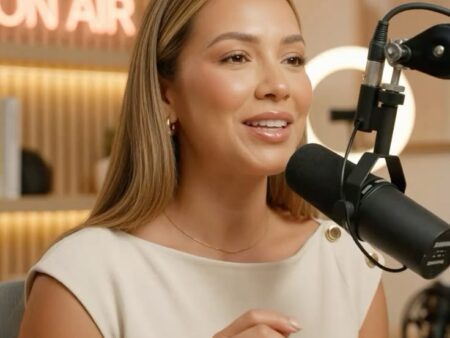

One of the biggest misconceptions new podcasters carry into the medium is that professional-sounding audio requires professional-level spending. The reality is far more encouraging. Some of the most listened-to, most professionally produced podcasts in the world are edited using podcast editing software free of charge — tools that are openly available, consistently updated, and genuinely capable of delivering broadcast-quality results in the hands of a creator who understands how to use them.
The barrier to great podcast audio is not money. It is knowledge. And that is exactly what this guide addresses — giving you a thorough, honest, and practical breakdown of the best podcast editing software free options available right now, what each one does well, where each one has limitations, and how to decide which free tool is the right fit for your specific workflow, skill level, and production goals.
Whether you are producing your first episode on a laptop at your kitchen table or you are an experienced creator looking to cut costs without cutting quality, there is a podcast editing software free solution in this guide that will serve you well. Let us get into it.
Why Free Podcast Editing Software Is Better Than You Think
A few years ago, the gap between free and paid audio editing tools was significant. Free options were limited in capability, unstable in performance, and often difficult to learn without substantial technical knowledge. That gap has closed considerably — and in some cases, it has disappeared entirely.
Today, podcast editing software free options offer multi-track editing, noise reduction, compression, equalization, normalization, chapter marker support, and export to every major audio format. They run on Mac, Windows, and Linux. They are supported by enormous communities of users who produce tutorials, troubleshooting guides, and template files that make learning faster and easier than ever before.
The creators who struggle with podcast editing software free tools are almost always struggling not because the tools are inadequate, but because they have not invested the time needed to learn them properly. The tools themselves are more than capable. The question is whether you are willing to climb the learning curve — and this guide will help you assess which curve is the right one for you.
For creators and agencies looking to understand the full landscape of podcast production resources, tools, and services available to modern podcasters, the comprehensive resource library at Podcast Agency Network is an excellent companion to this guide — offering broader context on how successful podcast production teams approach the full workflow from recording through to distribution.
What to Look for in Podcast Editing Software Free Options
Not all podcast editing software free tools are created equal — and understanding what matters in an editing tool before you start downloading and installing saves you significant time and frustration. Here are the criteria that separate genuinely useful podcast editing software free options from those that will waste your time.
Multi-Track Editing Capability
The ability to work with multiple audio tracks simultaneously is essential for any serious podcasting workflow. If you are interviewing guests, mixing in music, adding an intro and outro, or layering sound effects, you need podcast editing software free of multi-track limitations. Single-track editors are fine for the most basic recordings but will quickly become a bottleneck as your production ambitions grow.
Non-Destructive Editing
Non-destructive editing means that your original audio files are never permanently altered during the editing process — changes are applied virtually and can be undone at any time. This approach is far safer and more flexible than destructive editing, where every cut and effect permanently modifies the source file. Any podcast editing software free option worth using should support non-destructive editing as a standard feature.
Essential Audio Processing Tools
At minimum, the podcast editing software free tool you choose should include noise reduction, compression, equalization, normalization, and fade in and fade out controls. These are the fundamental processing tools that every podcast episode requires to sound clean, balanced, and professional. Without them, even the best recording will sound rough and amateur in the finished product.
Export Flexibility
Your podcast editing software free tool needs to export your finished episode in the formats accepted by podcast hosting platforms — primarily MP3 and WAV, with AAC as an additional option for some workflows. Export control over bitrate, sample rate, and file size is also important for ensuring your episodes meet the specifications of the directories you are distributing through.
Stability and Active Development
A podcast editing software free tool that crashes regularly or has not been updated in several years is a liability rather than an asset. Look for tools with active development communities, regular update releases, and strong user bases that indicate ongoing support and maintenance. The last thing you want is to invest weeks learning a podcast editing software free tool only to find it abandoned or incompatible with your operating system after an update.
The 8 Best Podcast Editing Software Free Tools Available Right Now
Here is an in-depth look at the eight most capable and widely used podcast editing software free options — what each one offers, who it is best suited for, and what you need to know before downloading.
1. Audacity
Audacity is the most widely used podcast editing software free tool in the world — and for good reason. It has been actively developed for over two decades, runs on Mac, Windows, and Linux, and offers a genuinely comprehensive set of audio editing and processing tools at no cost whatsoever. Its interface is not the most visually modern, but it is logical, well-documented, and supported by one of the largest user communities of any audio editing tool in existence.
For podcasters, Audacity covers every essential editing need — multi-track recording, noise reduction, compression, equalization, normalization, silence detection, and export to MP3, WAV, OGG, and FLAC. Its plugin ecosystem extends its capabilities significantly, and its library of community-created tutorials makes the learning curve more manageable than it first appears.
As podcast editing software free options go, Audacity is the gold standard for creators who want maximum capability without spending anything. Its only significant limitation is its interface, which can feel dated compared to paid alternatives — but the functionality beneath that interface is genuinely impressive.
Who it is best for: creators who want a fully featured, community-supported podcast editing software free tool and are willing to invest time in learning it properly.
2. GarageBand
GarageBand is Apple’s free audio production software and one of the most accessible and genuinely enjoyable podcast editing software free options available to Mac and iOS users. Its interface is intuitive, its performance is excellent on Apple hardware, and its built-in library of loops, music tracks, and sound effects makes it a particularly appealing choice for podcasters who want to add music and production elements to their episodes without sourcing them externally.
GarageBand handles multi-track editing smoothly, includes good basic processing tools, and integrates naturally with the Apple ecosystem — making it easy to start a recording on your iPhone and continue editing on your Mac. As podcast editing software free options go, GarageBand represents one of the most genuinely pleasant editing experiences available at no cost.
Who it is best for: Mac and iOS users who want an intuitive, well-designed podcast editing software free experience with excellent Apple hardware integration.
3. DaVinci Resolve
DaVinci Resolve is primarily known as professional video editing software — but its Fairlight audio engine is a fully professional-grade audio editing and mixing environment that is available completely free in the standard version. For podcasters who also produce video content or who want access to the most sophisticated audio processing tools available in any podcast editing software free option, DaVinci Resolve is a remarkable resource.
Its learning curve is steeper than most other podcast editing software free tools, but the ceiling of what it can produce is correspondingly higher. Podcasters using DaVinci Resolve for audio editing have access to tools that rival those found in professional recording studios — compression, equalization, noise reduction, reverb, delay, and a full suite of metering and analysis tools — all at no cost.
Who it is best for: technically ambitious podcasters and video-first creators who want the most powerful podcast editing software free option available, regardless of learning curve.
4. Ocenaudio
Ocenaudio occupies an interesting middle ground in the podcast editing software free landscape — more capable and polished than basic waveform editors but simpler and more approachable than full digital audio workstations like Audacity or DaVinci Resolve. Its real-time preview of audio effects is a standout feature that makes the equalization and processing workflow significantly faster and more intuitive than in most competing podcast editing software free tools.
Ocenaudio runs on Mac, Windows, and Linux, supports a wide range of audio formats, and handles the essential podcast editing tasks — cutting, joining, noise reduction, normalization, and export — with speed and ease. For podcasters who find Audacity’s interface overwhelming but want more control than simpler tools offer, Ocenaudio is an excellent middle-ground podcast editing software free option.
Who it is best for: intermediate creators who want a fast, clean, and capable podcast editing software free tool without the complexity of a full DAW.
5. Reaper (with free trial)
Reaper is technically a paid application — but its generous free trial period, which is functionally unlimited, effectively makes it available as podcast editing software free for creators who are not yet generating revenue from their show. Reaper is a professional-grade digital audio workstation with an extraordinarily lightweight footprint, exceptional stability, and one of the most customizable interfaces of any audio editing tool at any price point.
Its routing flexibility, plugin compatibility, and scripting capabilities make it a favourite among professional audio engineers — and its performance on older or lower-spec hardware is significantly better than most competing applications. For podcasters who want professional-grade podcast editing software free of charge during their early growth phase, Reaper is a genuinely exceptional option.
Who it is best for: technically-minded creators who want professional-grade capabilities in their podcast editing software free experience and are comfortable with a more complex setup process.
6. Descript (free plan)
Descript takes an entirely different approach to podcast editing that makes it one of the most innovative entries in the podcast editing software free landscape. Rather than editing audio waveforms directly, Descript transcribes your recording and lets you edit the audio by editing the text transcript. Deleting a word from the transcript deletes it from the audio. Reordering sentences in the transcript reorders the audio. This text-based approach makes podcast editing dramatically more accessible for creators without audio engineering backgrounds.
Descript’s free plan includes a meaningful set of features — transcription, basic editing, and limited publishing capabilities — that make it a viable podcast editing software free option for new creators and those producing simpler episode formats. Its overdub feature, which generates AI voice to fill in corrected words, is one of the most genuinely impressive tools in the entire podcast editing software free landscape.
Who it is best for: non-technical creators, content repurposers, and podcasters who prioritize editing speed and ease over maximum audio processing control.
7. Ardour
Ardour is a professional-grade open-source digital audio workstation that offers a level of capability typically found only in paid software. As podcast editing software free of commercial restrictions, Ardour is available on Linux and Mac — and while it has a steeper learning curve than most consumer-facing tools, its depth of functionality, plugin support, and professional-grade mixing environment make it an exceptional choice for technically ambitious creators.
Ardour’s community is active and knowledgeable, and its documentation is thorough enough to support creators at every level of audio engineering experience. For Linux users in particular, Ardour is often the best podcast editing software free option available.
Who it is best for: Linux users and technically advanced creators who want professional-grade open-source podcast editing software free of cost and commercial restriction.
8. Podcastle (free plan)
Podcastle is a browser-based podcast production platform with a free plan that includes recording, basic editing, and AI-powered noise reduction and audio enhancement tools. As podcast editing software free of desktop installation requirements, it is particularly appealing for creators who work across multiple devices, travel frequently, or prefer not to install large applications on their computers.
Its AI audio enhancement feature automatically cleans up background noise, balances levels, and improves overall audio quality with minimal manual intervention — making it one of the most beginner-friendly entries in the podcast editing software free landscape. While its free plan has limitations in export quality and storage, it is an excellent starting point for new creators.
Who it is best for: beginners, mobile-first creators, and podcasters who want AI-assisted audio enhancement in a browser-based podcast editing software free experience.
Which Podcast Editing Software Free Tool Is Right for You
With eight strong options on the table, choosing the right podcast editing software free tool comes down to matching the tool’s strengths to your specific situation. Here is a simple framework for making that decision.
If you are a complete beginner with no audio editing experience, start with GarageBand if you are on a Mac, or Descript if you are on Windows or want a text-based workflow. Both offer the most accessible entry points in the podcast editing software free landscape.
If you have some technical confidence and want a fully featured, community-supported tool that will grow with you as your skills develop, Audacity is the clear choice. It is the most widely used podcast editing software free option in the world for a reason.
If you are producing video content alongside your podcast and want one tool to handle both, DaVinci Resolve gives you the most powerful podcast editing software free experience available anywhere at no cost.
If you are on Linux or want a truly professional open-source DAW, Ardour is your best option in the podcast editing software free category.
If you want speed and convenience above all else, and you are comfortable with a browser-based tool, Podcastle’s free plan offers one of the fastest and most friction-free podcast editing software free experiences available.
Understanding how successful podcast productions approach their full workflow — from equipment choices and editing tools through to distribution and audience growth — is something that the broader community resources at Still Processing Podcast on Podcast Agency Network explore in depth, offering valuable real-world perspective on how professional podcasters think about production quality and tool selection at every stage of their journey.
Free vs Paid Podcast Editing Software: When to Make the Switch
This guide is about podcast editing software free options — but it would be incomplete without an honest conversation about when free tools stop being the right choice and investment in paid software becomes worthwhile.
For most independent podcasters, podcast editing software free tools are sufficient for the entire lifespan of their show. Audacity, GarageBand, and DaVinci Resolve in particular are capable of producing results that are genuinely indistinguishable from those produced with expensive paid software in the hands of a skilled editor.
The situations where upgrading from podcast editing software free options to paid tools makes sense are relatively specific. If your editing workflow is taking significantly longer than it should because of software limitations rather than skill limitations, a paid tool with more efficient workflows may be worth the investment. If you are consistently hitting the ceiling of what your podcast editing software free tool can do in terms of audio processing quality, advanced routing, or plugin compatibility, a professional DAW may be warranted. And if your podcast is generating enough revenue to support the investment comfortably, upgrading to professional tools is a reasonable and often motivating step.
But for the vast majority of podcasters — especially those in the early and middle stages of their journey — the right response to audio quality challenges is almost never to spend more money on software. It is to learn the podcast editing software free tool you already have more deeply, invest in a better microphone, treat your recording space more effectively, or improve your recording technique. These interventions deliver far greater returns than any software upgrade.
For insights into how successful shows across different genres and production scales approach their audio workflows, the Still Processing Podcast resource at Podcast Agency Network provides an instructive window into professional podcast production thinking — and confirms that great audio is fundamentally about craft and knowledge rather than the cost of your tools.
Getting the Most from Your Podcast Editing Software Free Tool
Whichever podcast editing software free tool you choose, here are the practices that will help you get the best possible results from it.
Learn the keyboard shortcuts. Every serious podcast editing software free tool has a set of keyboard shortcuts that dramatically speed up the editing workflow. Investing a few hours in learning them pays back that time many times over across every episode you edit.
Create a reusable project template. Set up your standard track layout, effect chain, and export settings in your podcast editing software free tool once, save it as a template, and open that template at the start of every new episode. This consistency saves time and ensures that every episode starts with the same processing baseline.
Edit in passes rather than linearly. Rather than editing from the beginning of an episode to the end in a single pass, work through the episode multiple times — once for structural cuts, once for tightening pacing, once for audio processing, and once for final review. This layered approach consistently produces better results than single-pass editing in any podcast editing software free tool.
Use reference tracks. Before finalizing any episode, listen to a professionally produced podcast in your category as a reference for how your edited episode compares. This practice quickly reveals areas where your audio processing in your podcast editing software free tool needs adjustment and trains your ear to recognize professional-quality audio over time.
Take advantage of community resources. Every podcast editing software free tool on this list has an active user community producing tutorials, troubleshooting guides, preset packs, and template files. These resources are enormously valuable and dramatically compress the learning curve. Use them.
Taking Your Podcast Production Further
Mastering podcast editing software free tools is an important step in building a professional podcast — but it is one part of a much larger production and growth picture. The most successful podcasters think about editing as one component of a comprehensive approach to content quality, audience development, and strategic distribution that encompasses far more than the tools they use to cut audio.
For creators who want to go beyond DIY production and access professional podcast support — whether for editing, distribution strategy, guest booking, or full-service show management — expert podcast production partners can make an enormous difference in the speed and quality of your show’s development.
The team at Podcast Cola works with creators and brands across every stage of the podcast journey — from initial concept and equipment setup through to professional editing, distribution, and audience growth strategy. If you are ready to take your podcast beyond what podcast editing software free tools alone can deliver, contact the Podcast Cola team today to explore what professional support looks like for your specific show and goals.
Whether you need a full editing service, strategic production advice, or simply someone to review your current workflow and identify where improvements would have the greatest impact, the Podcast Cola team is ready to help. Simply contact them and start the conversation — there is no obligation, and the insight they provide is genuinely valuable regardless of where you are in your podcast journey. Do not hesitate to contact the team if you have any questions about editing workflows, tool selection, or professional production services. They welcome enquiries from creators at every level — from those just discovering podcast editing software free options for the first time through to established shows looking to scale their production quality and audience reach.
Great podcasting starts with great fundamentals — and great fundamentals start with the right knowledge, the right tools, and the right support. Contact Podcast Cola today and let their team help you build the production foundation your show deserves. You can contact them at any stage — whether you are still experimenting with podcast editing software free tools or ready to invest in professional production support. The right partnership makes all the difference. Contact Podcast Cola now and discover what truly professional podcast production support looks like. Your show — and your audience — will thank you for it. Take that step and contact the team today.